
Pricing, Services, and Fees
Configure your inspection report price, add-on services, and any fees you charge on the final invoice.
Updated May 18, 2026 · 3 min read
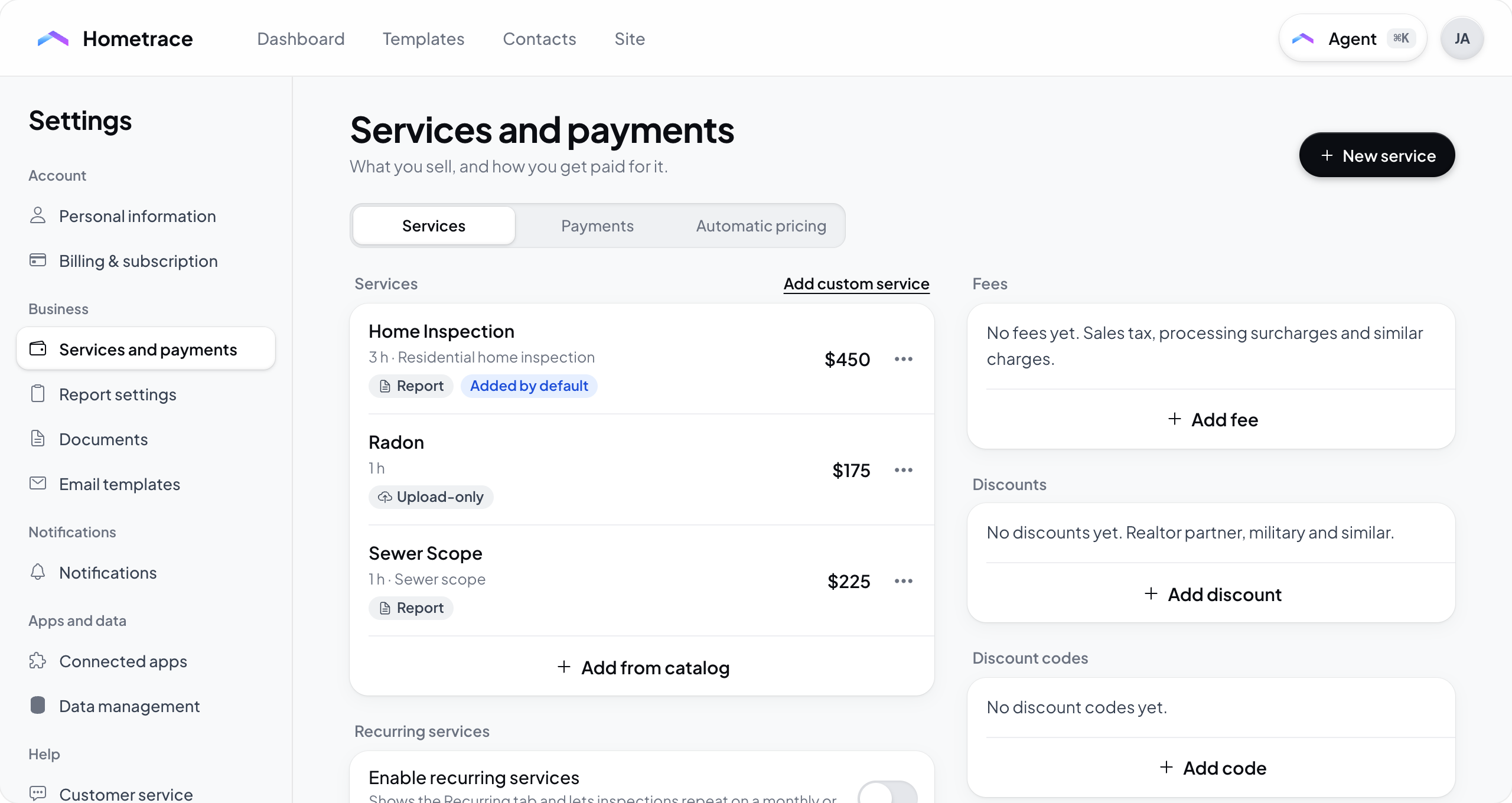
Manage reusable services, fees, discounts, and discount codes in Settings > Services and payments. The redesign has three tabs: Services, Payments, and Automatic pricing.
For property-based pricing rules and public booking quotes, see Set Up Automatic Pricing and Booking.
Services
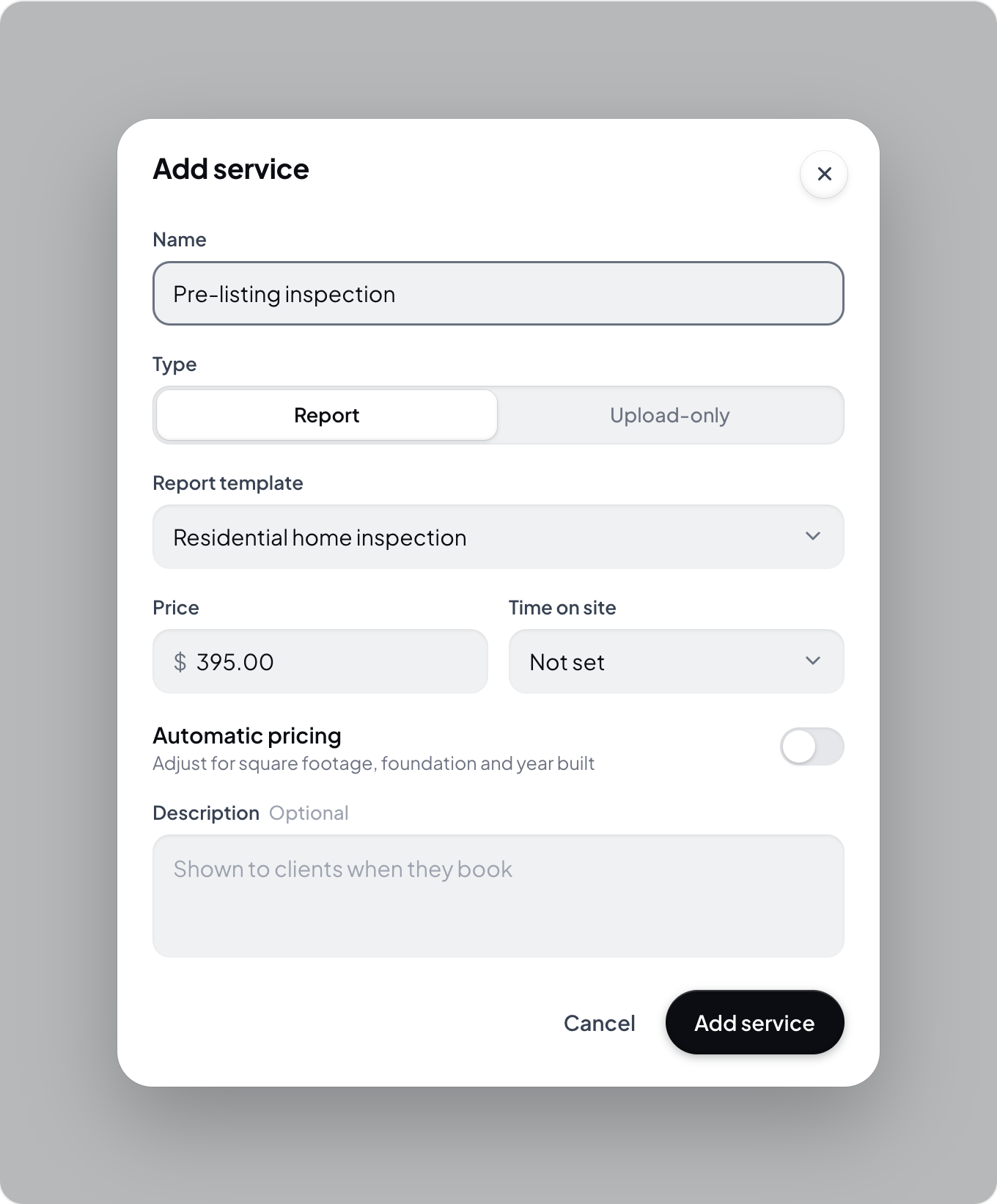
Open the Services tab. Use Add from catalog for preset services or Add custom service for your own offering. Review preset prices before using them.
For each service, configure:
- Name and optional Description.
- Type: Report or Upload-only. Report services require a Report template. Some catalog services use an official form type instead.
- Price.
- Time on site, which contributes to the estimated appointment duration.
- Automatic pricing, if square-footage, foundation, and year-built adjustments should apply to this service.
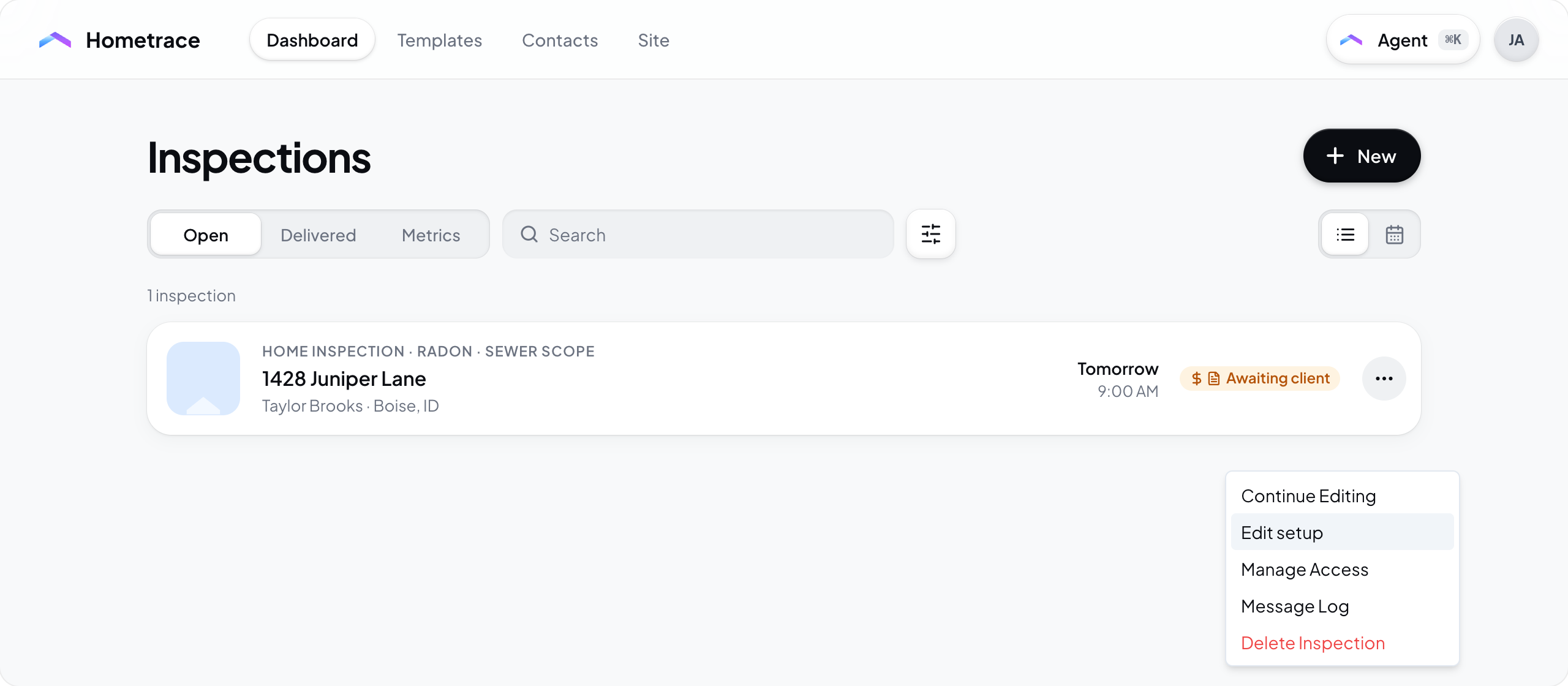
Use the service’s menu to edit, reorder, delete, or choose Add by default. Default services are preselected for new inspections. Core report services and add-ons use the same service list. There is no separate Default Report Price setting.
When creating an inspection, review the Services card and its prices. To change setup on an existing eligible inspection, use its dashboard menu > Edit setup. The redesign dashboard no longer has a separate Edit price action.
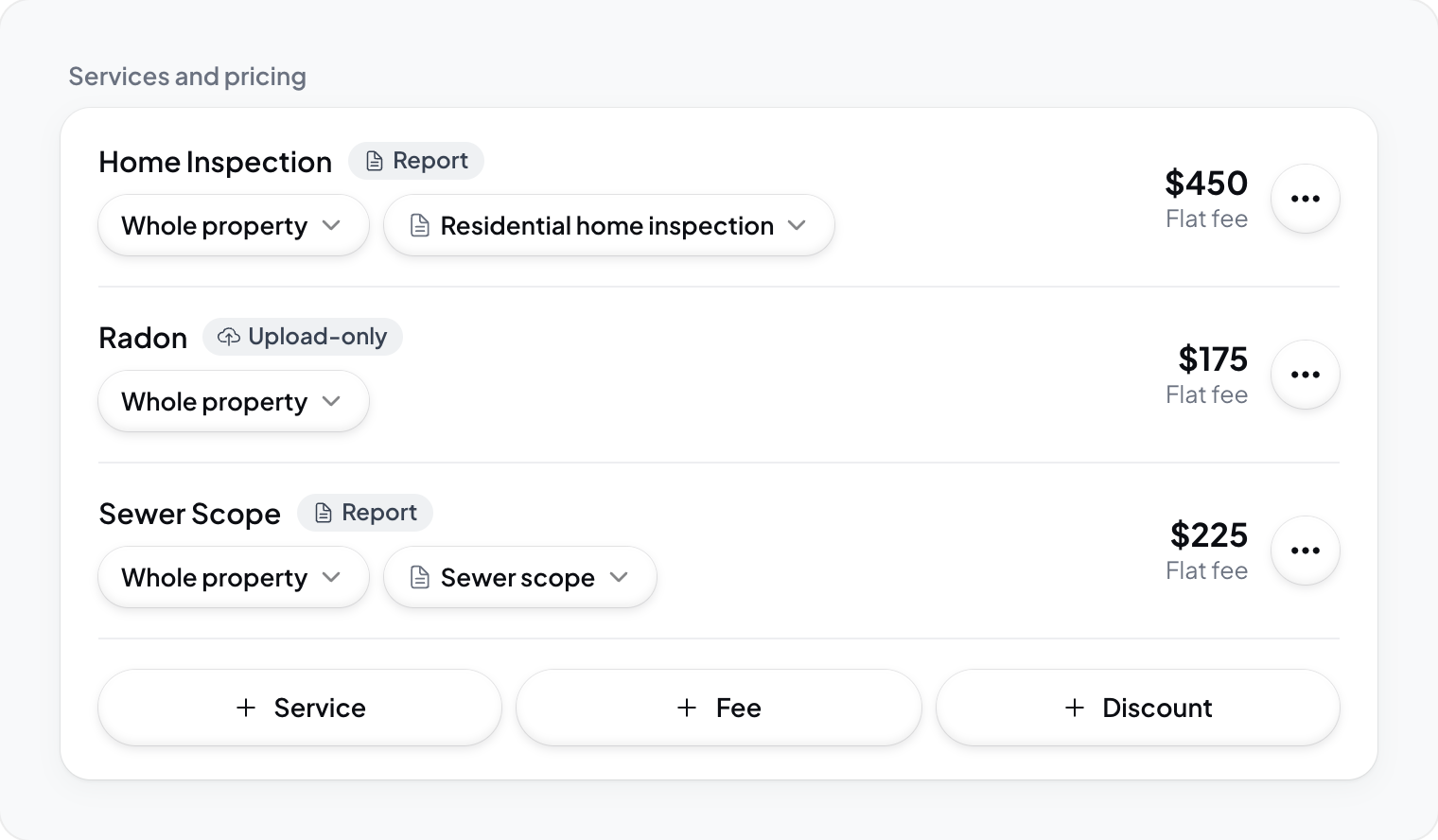
Saved services can be reused on inspections and offered through booking. Choose public service visibility and public copy in Site > Services. A custom service added only to one inspection stays with that inspection unless you also save it to your reusable service list.
Fees
Fees can be percentages or flat amounts. Add a fee in the Fees section of Services and configure its name, value, and when it applies.
For percentage fees, Percent of can be Services subtotal or Running total. Running total includes fees ordered above the current fee, so order matters. Use the fee menu to move a fee up or down.
The catalog includes Service Charge and State Tax presets. A preset is a starting point. Review its name, rate, calculation basis, and default behavior for your business before using it.
Hometrace does not determine which taxes or surcharges you must collect or remit. Configure only charges that apply to your business and location.
Discounts and discount codes
Use Discounts for reusable reductions to an inspection price. Use Discount codes for codes clients can enter where supported. Review whether each adjustment applies by default and whether a code is active before sharing it.
Automatic pricing
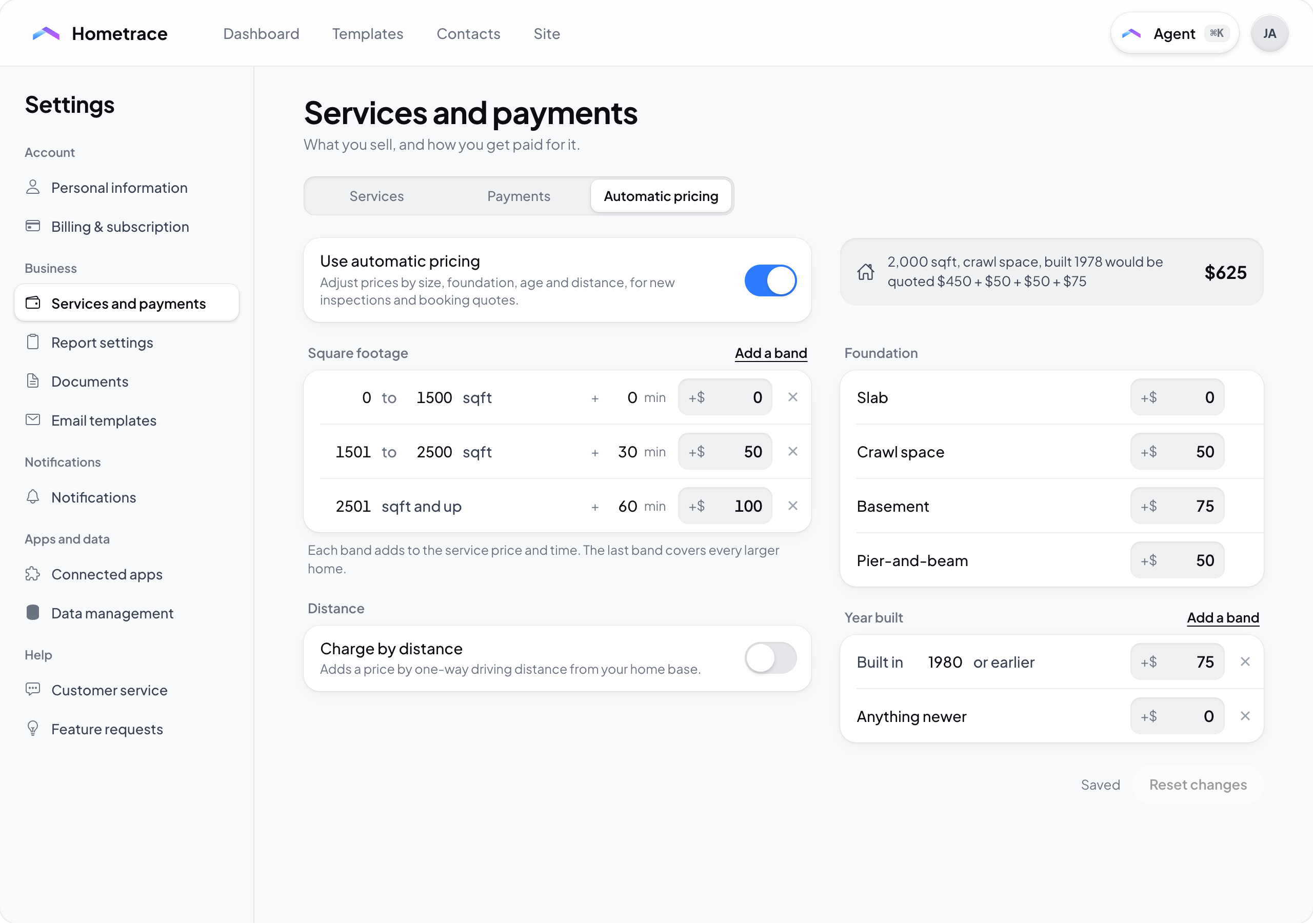
Open Automatic pricing to configure square-footage, foundation, year-built, and distance rules. Square-footage adjustments add to an eligible service’s price and time. Turn on Automatic pricing in a service’s edit dialog when that service should receive property adjustments.
Automatic pricing settings autosave. Wait for Saved and resolve any readiness or validation message. Public quote visibility is a separate setting in Site > Price quote.
Payments and processing costs
Open Payments to connect Stripe, check payment and payout capabilities, and view balances and payout history. Processing costs are separate from the client-facing fees you configure in Services. See Payment Processing.
Recurring services
The Services tab includes Enable recurring services. Turn it on if you need inspections that repeat on a monthly or annual cadence.