

Price inspections automatically with Hometrace
Automatic pricing modifiers turn property details, travel distance, and saved services into a consistent inspection quote.
A larger home, a crawl space, or a long drive can change what you charge for an inspection. Hometrace lets you save those adjustments as pricing rules, so you don't have to work through them from memory every time someone asks for a quote.
The rules use the property details you enter when creating an inspection. They can also give buyers an estimated price when they book through your Hometrace Site.
Set up the prices you already use
Your default report price is the starting point and fallback. Save your usual services, fees, and discounts too, including add-ons such as radon testing or sewer scopes. You can reuse those items across inspections.
Automatic pricing covers four kinds of adjustments:
- Square footage: set a price and expected duration for each home-size range. You can leave the last range open-ended for larger properties.
- Foundation: add your chosen adjustment for slab, crawl space, basement, or pier-and-beam foundations.
- Year built: set adjustments for older homes or other age ranges that take you longer to inspect.
- Driving distance: add a travel charge based on the drive from your saved home base to the property.
Turn on the rules that fit your business and leave the others off. Start with the prices you quote most often, then test a few real addresses and home types before showing quotes publicly.
Review quotes with missing details
If a home's square footage falls outside your ranges, its foundation is unknown, or driving distance can't be calculated, Hometrace can route the request to manual review. That keeps buyers from seeing an incomplete estimate.
For distance pricing, select both your home base and the property address from the address suggestions. Hometrace needs those location details to calculate the drive.
Show estimates during booking
Once you've checked your rules, open the Price quote tab in your Hometrace Site and turn on quote display. Buyers enter property details, choose saved add-on services, and see an estimated total when the required information is available. They can then submit a booking request.
The quote stays with the request and inspection, so you have a record of the price the buyer saw. If a job needs special handling, you can edit a line item. Hometrace treats that change as a manual override and keeps your saved pricing rules intact.
To set this up, open Settings, then Services and Payments. Review your default price and saved services, add the adjustments you regularly charge, and check the results against your usual quotes. The Set Up Automatic Pricing and Booking guide walks through the setup and troubleshooting.
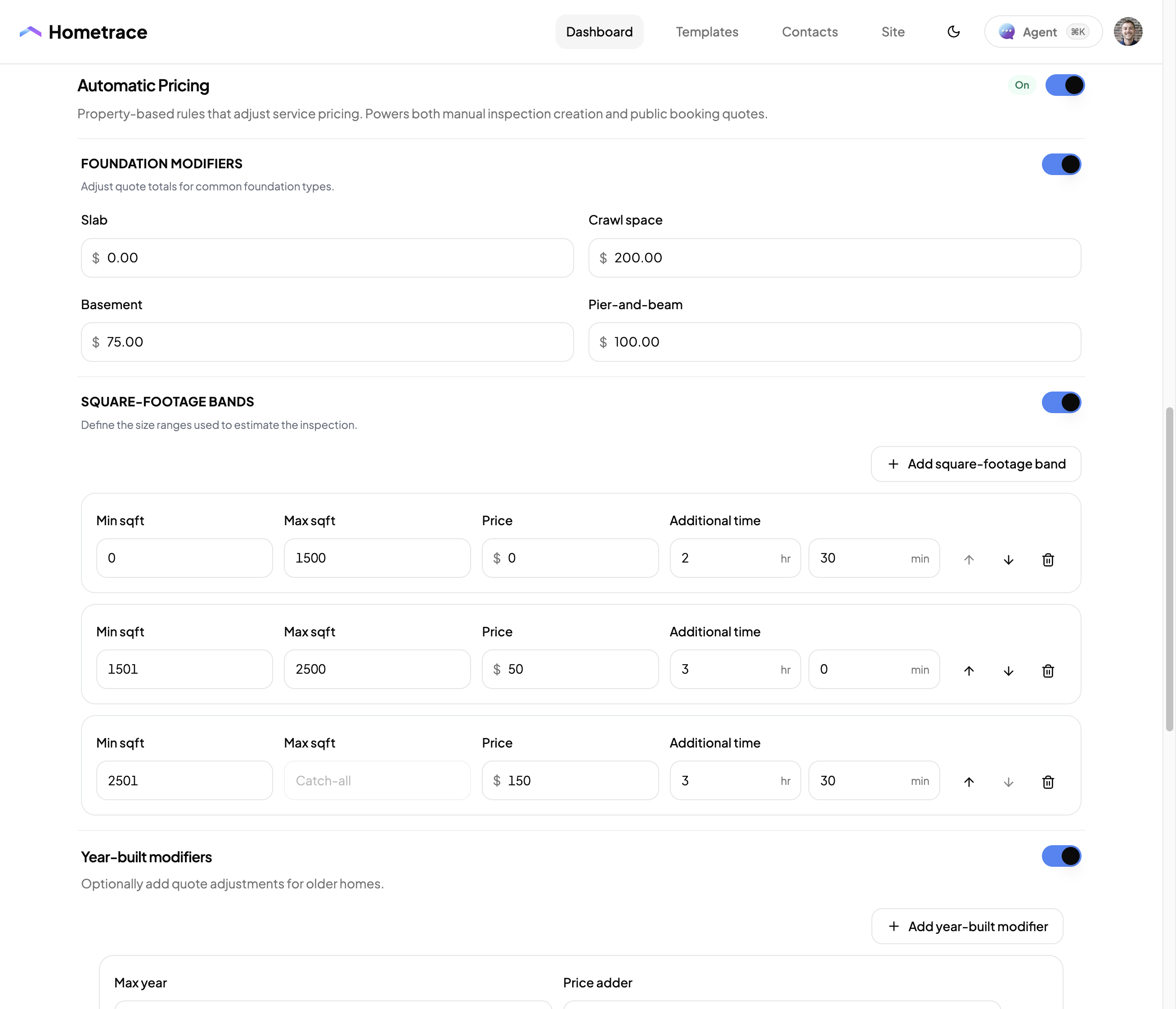
Foundation adjustments and square-footage bands let you price homes according to the work involved. These are example settings; enter the prices and inspection times you use.
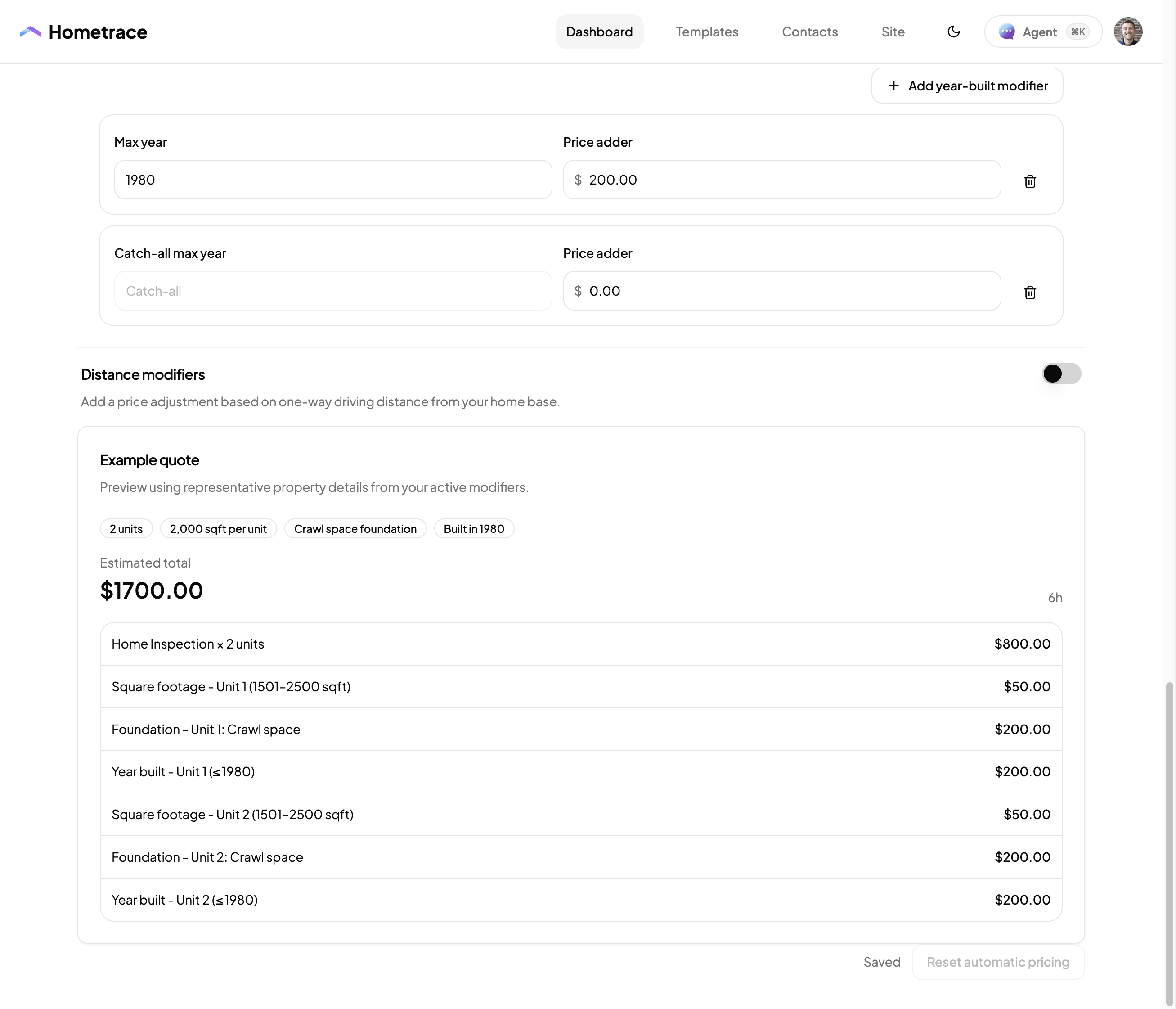
The example quote shows each adjustment separately. Here, two units total $1,700 after the home inspection price, square footage, foundation, and year-built adjustments. Check the breakdown against what you would normally charge.