
Final Checks Is Now Available on Mobile
Give every report a fast second review before it reaches your client. Final Checks now works from the Hometrace mobile app as well as the web.
The last few minutes before publishing a home inspection report are often the hardest time to notice a small mistake. You have already spent hours collecting information, reviewing photos, and writing findings. At that point, a misspelled word, blank spec, or inconsistent severity can be surprisingly easy to overlook.
Final Checks gives you a second set of eyes before the report reaches your client. It is now available in the Hometrace mobile app, so you can run the same report-quality review from the job site or wherever you finish your report.
What Final Checks reviews
Final Checks reviews accepted report content in five areas:
- Incomplete Specs: blank spec values and missing condition selections.
- Spelling & Grammar: spelling in finding titles, descriptions, area names, and subsection names, plus grammar in descriptions.
- Professional Tone: clearly casual, vague, placeholder, or unprofessional language that could make a report harder for a client to understand.
- Accuracy Concerns: contradictions between a spec and a finding in the same subsection.
- Consistency: duplicate findings or a severity that does not match the description.
Some results include a suggested text replacement. You can accept those fixes directly. Other results flag something that needs your judgment, such as a blank spec or a possible contradiction. You decide whether to address it or dismiss it.
How it works on mobile
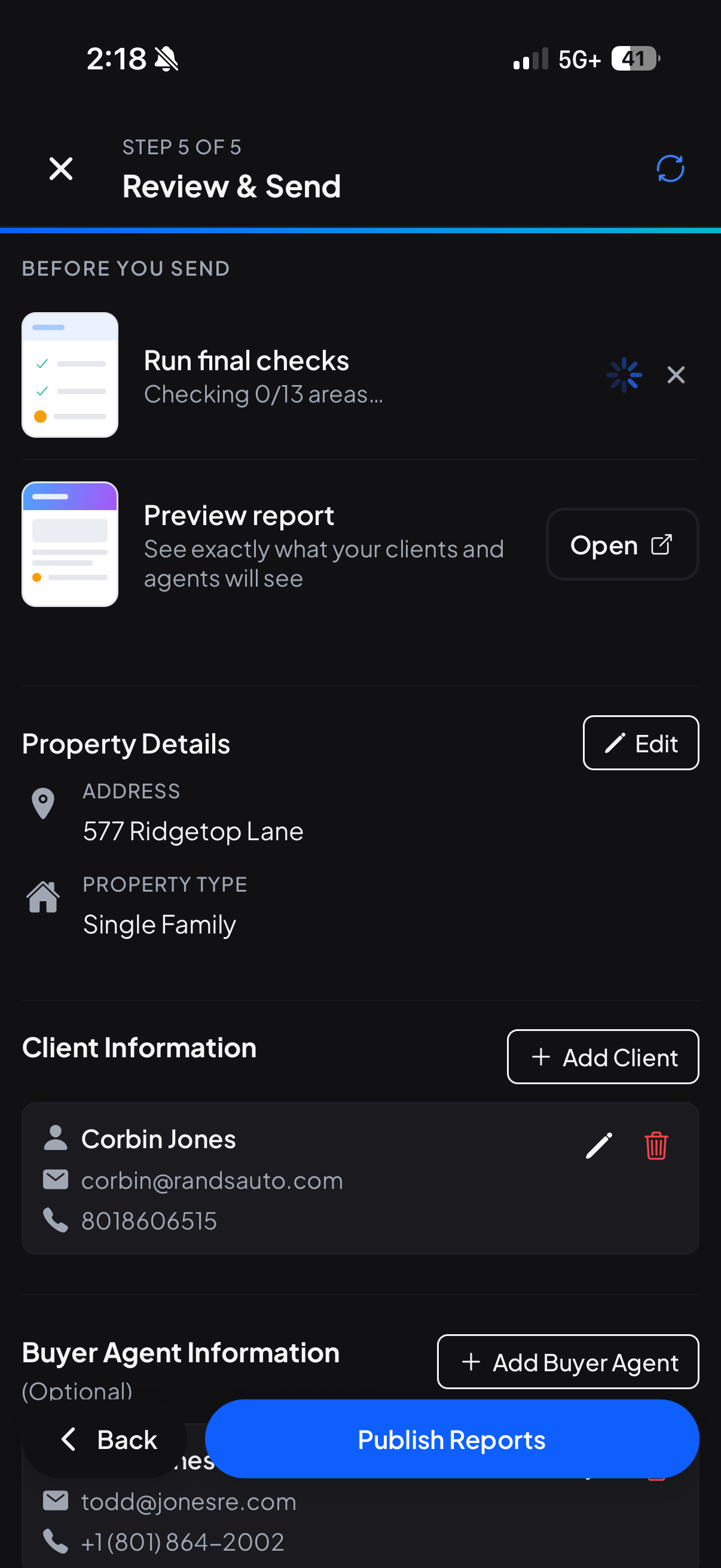
Open an inspection and go to the Review & Send screen. Under Before you send, tap Run beside Run final checks.
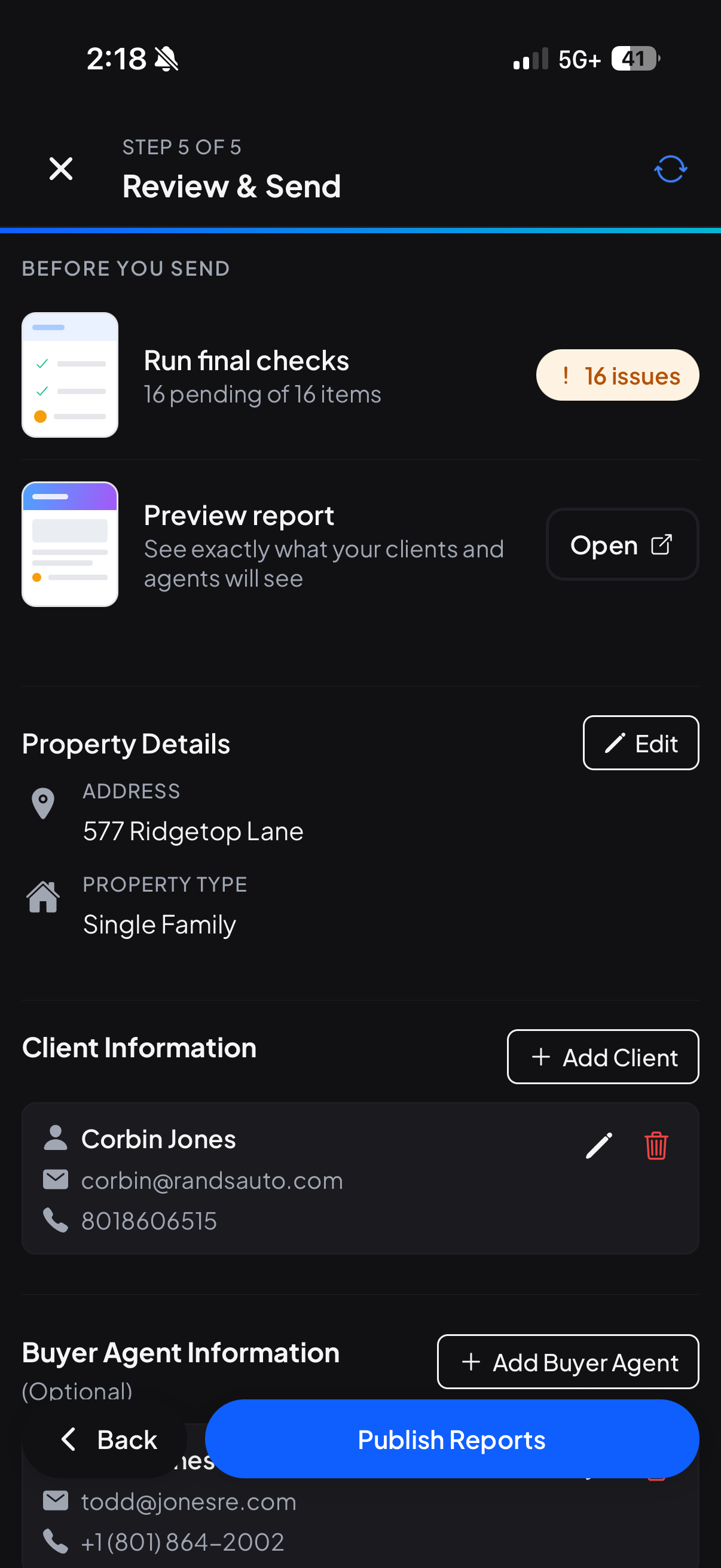
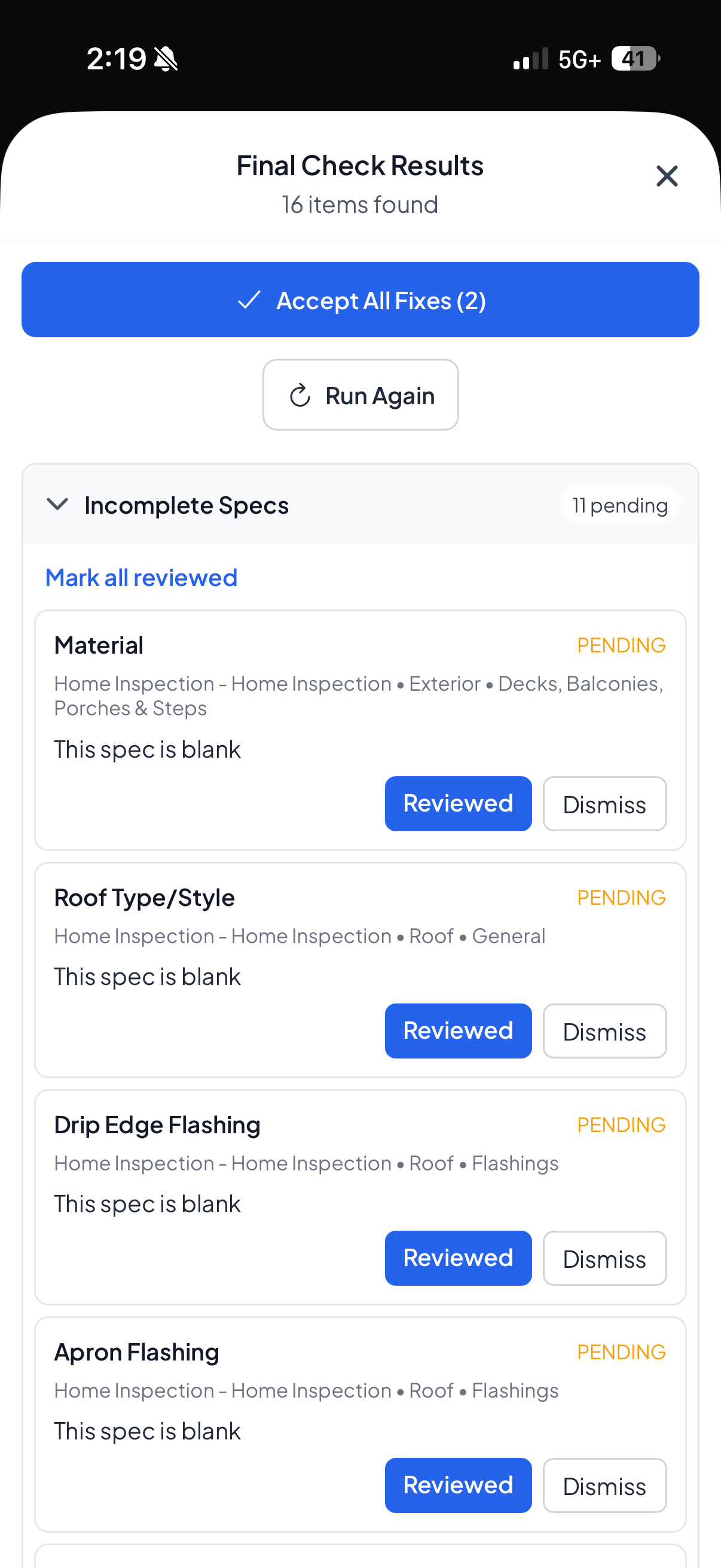
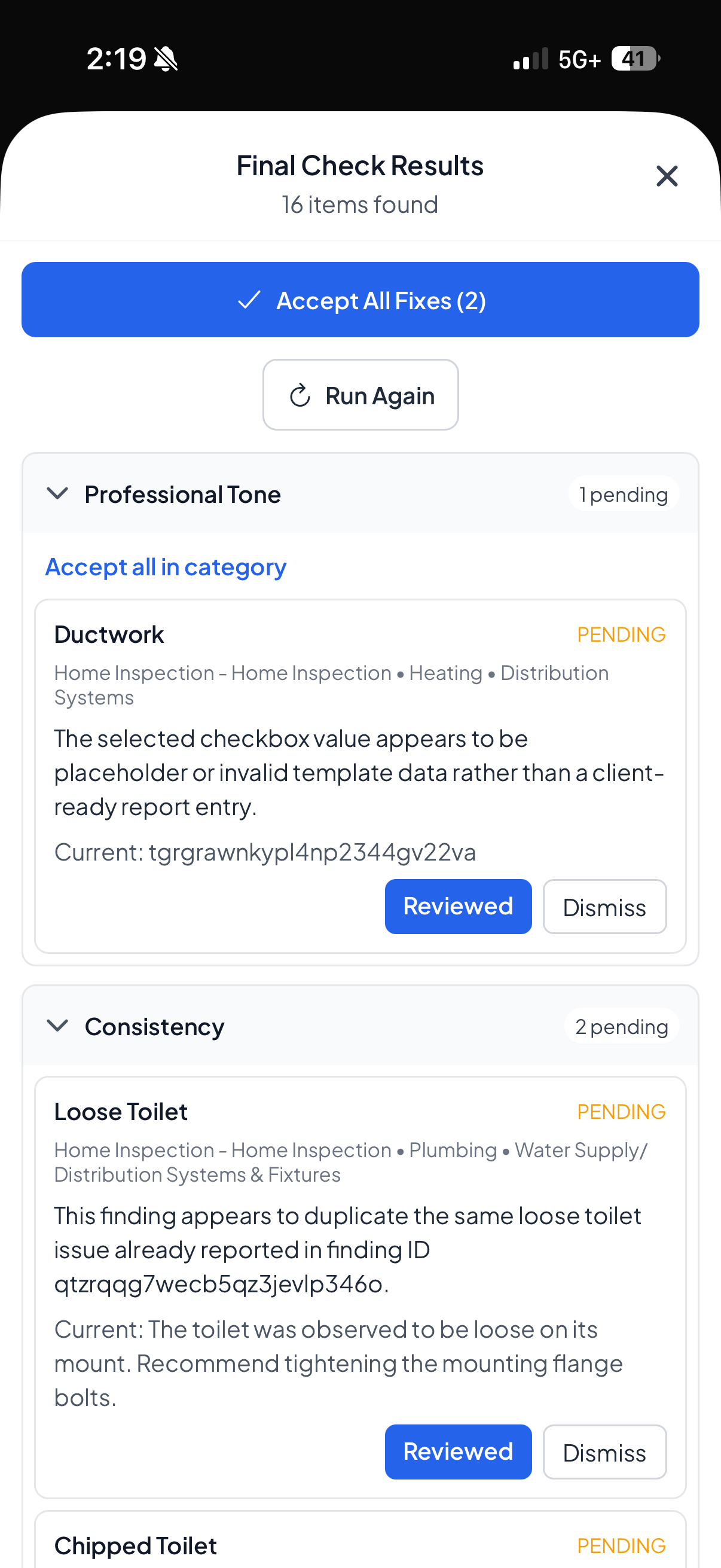
Hometrace checks the report and shows its progress. When the review is ready, you will see either the number of issues to review or an all-clear result. Open Final Check Results to work through the findings by category.
For suggested spelling and tone fixes, use Accept to apply the replacement or Dismiss to leave the report unchanged. For incomplete, accuracy, and consistency flags, mark the item Reviewed once you have checked it, or dismiss it when no change is needed.
If you edit the report after a run, Hometrace may mark the results as stale. Run Final Checks again after the new report text has synced.
The same review is available on the web
On desktop, open the inspection's Review & Generate Report screen. The Run final checks action appears in the Before you send section. Results use the same five categories, and clicking an issue's location can take you back to the relevant area or subsection.
You remain in control
Final Checks is designed to support an inspector's final review, not replace it. It does not inspect photos, confirm code compliance, or independently verify that every factual statement is correct. Accuracy concerns are based on internal contradictions in the report—for example, a spec that conflicts with a finding in the same subsection.
Publishing is still your decision. Hometrace will warn you if Final Checks has not been run or still has unresolved results, but the feature is not a hard publishing requirement.
A good final-review routine
For the cleanest result:
- Resolve any pending AI suggestions you want included in the report.
- Make sure your report changes have synced.
- Run Final Checks from the final report screen.
- Review each suggestion or flag.
- Preview the report, then publish when you are satisfied.
Final Checks is available to inspectors and admins within the account's AI-feature allowance and requires an internet connection. Try it on your next report and let Hometrace handle one more pass while you make the final call.