Does AI inspection software actually save time?
Photo sorting and draft findings can reduce report work. Review still takes time. Here is how to test the difference on your own inspections.
The time AI can save on an inspection comes from the report work: sorting photos, filling descriptive fields, and drafting comments you have written before. You still have to inspect the house and check what the software produces.
Whether that saves you time depends on how much typing and organizing you do now, and how much correction the drafts need. A useful comparison includes all of that work.
Where Hometrace can help
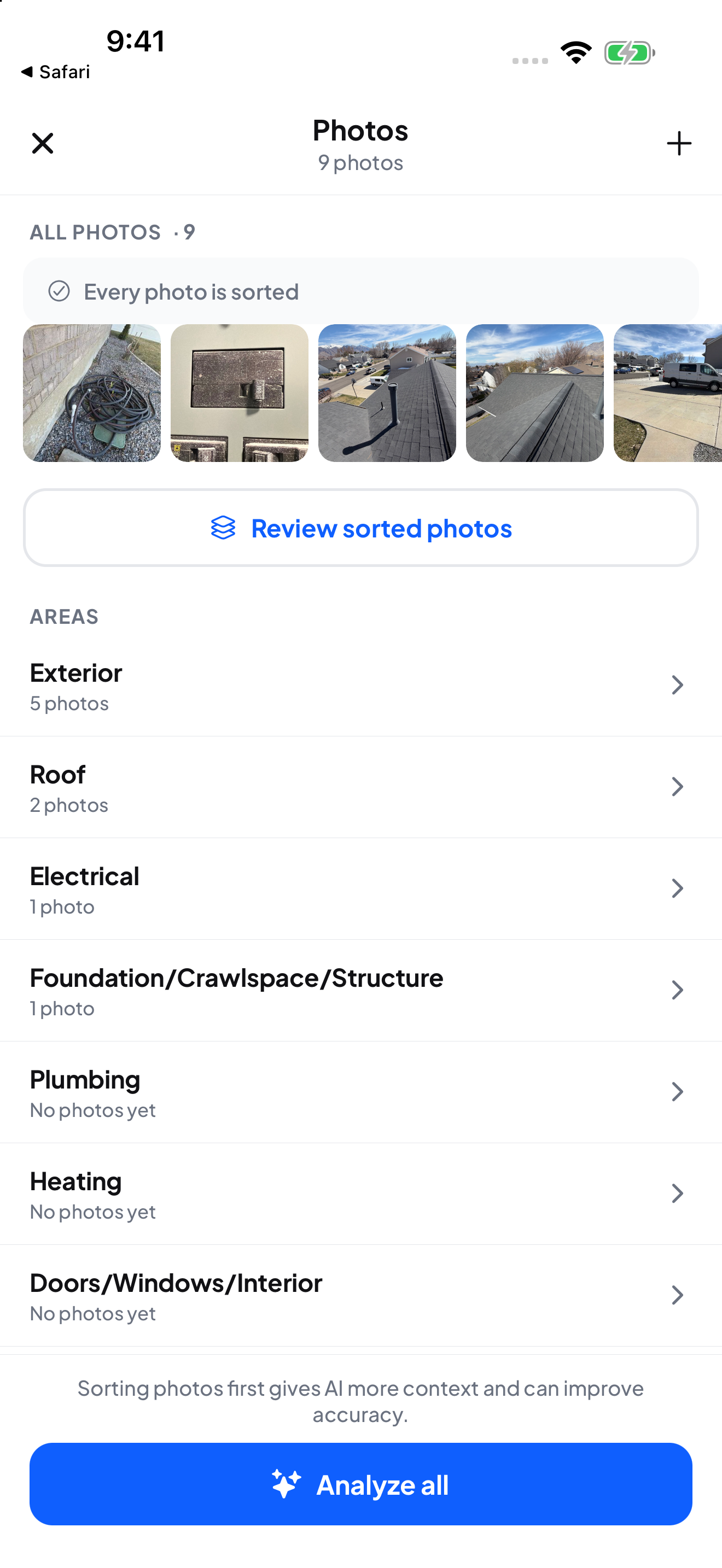
You photograph a house in walking order. Hometrace can sort those photos into areas and subsections, then use them to suggest spec answers and findings. Photos you have already filed stay where you put them.
For a familiar condition, analysis can draw from your narrative library. That gives you a starting point in your own wording. Visible details such as roof covering or water heater type can become spec suggestions, while data plate analysis helps fill equipment information.
Agent can also help create a job from the details in an agent's message. With a connection, you can talk through a finding instead of typing it. These are separate ways to reduce repetitive entry; you can use the ones that fit your routine.
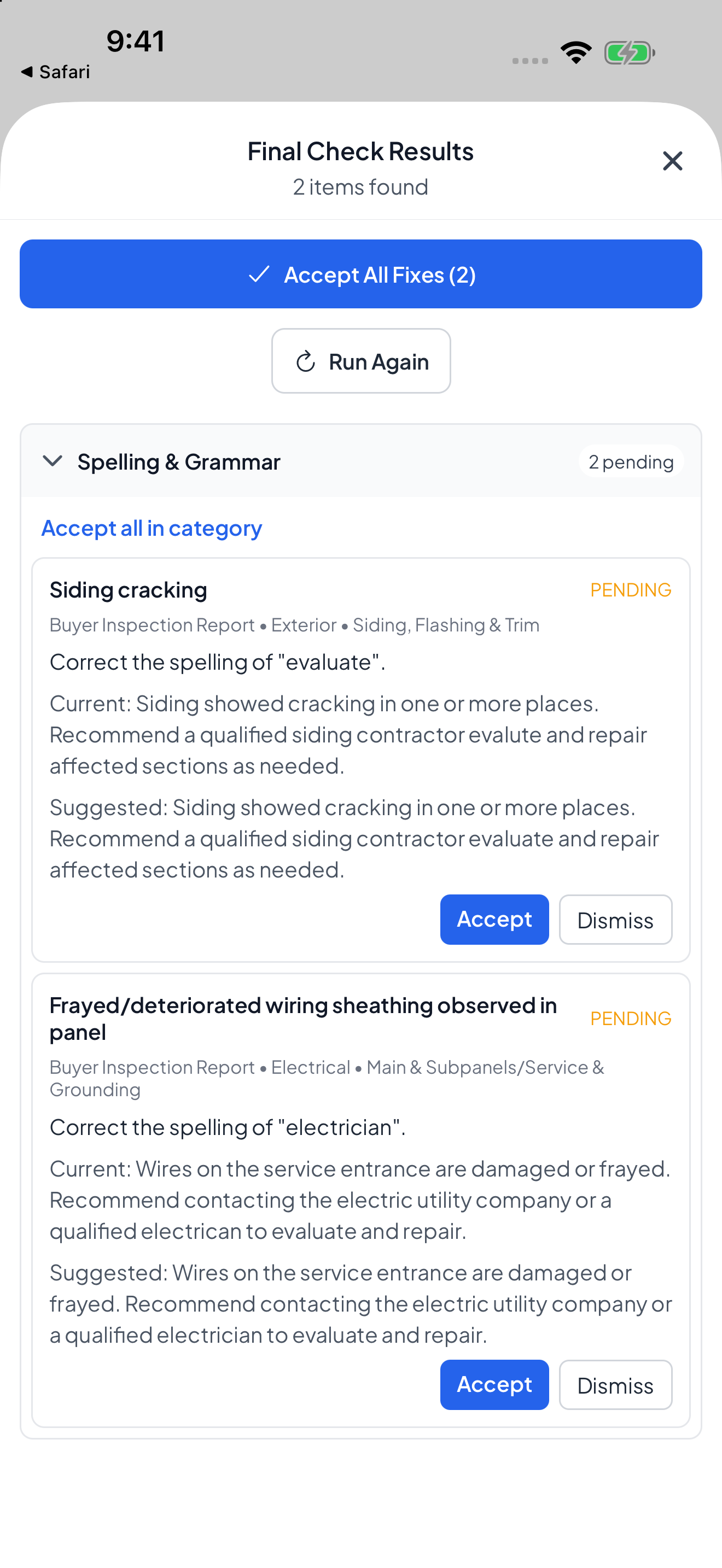
Before delivery, Final Checks looks for spelling, tone, blank specs, and statements that contradict each other. You decide what to change.
Reviewing is part of the job
A drafted finding needs your attention. Check that it describes the condition you observed, uses an appropriate severity, and includes a recommendation you would make yourself. A polished paragraph can still be wrong.
Photo analysis also cannot establish that a component works. You still test the GFCI, operate the fixture, and record what happened. Conditions you noticed without photographing need to go into the report too.
You may spend less time typing and more time reviewing. That is useful only when the total comes down. Count the minutes spent correcting misplaced photos or rewriting a suggestion, even when the rest of the report went smoothly.
Connection and setup affect the result
Analysis needs a connection. At a property with no signal, you can capture the inspection and run analysis when you are back online. Allow time for the photos to upload before expecting results.
The first few jobs also include learning the software and checking your template. Keep that setup time separate from your ongoing report time so you can see both the cost of switching and how later jobs compare.
Test it on comparable houses
Start by timing the reporting work on three inspections in your current software. Include work you do at the property, the final review, and any finishing work afterward.
During Hometrace's 30-day trial, time the same work on three comparable inspections. Keep the property size and complexity reasonably similar. Compare the middle result from each group, and look at where the time went.
Read the delivered reports as well. A quicker finish is only helpful if the report still says what you intended and gives your client the information they need.
Use those jobs to decide whether Hometrace fits your routine. If the review takes as long as writing the report yourself, that belongs in your decision.