

Big improvements to Hometrace Photo AI
Better and faster sorting for better AI results.
Hello Hometrace users! Sam from Hometrace here. I am excited to announce a new feature we have been working on. This idea has been rattling around in my head since I became an inspector and Nick was recently able to put it to paper for me.
A pain point I have always wanted to address in my workflow is the amount of time I spent scrolling through photos when writing reports. If you have a 2- or 3-inspection day, you might need to scroll through hundreds of photos to get to the one you are looking for from earlier that day. Or maybe you’re just struggling to find that photo of a cracked ceiling in the midst of all of the other photos you took at your inspection today?
To fix this, we have created the Hometrace photo sorting tool.
This works by allowing you to add photos and media to a folder associated with one inspection. From there, you can further sort the photos into your report’s sections and even subsections. What this does is provide you with a pared-down list of photos to choose from at each step of the report writing process. This reduces the time you spend scrolling and searching for an item on your camera roll. The idea is to spend a few minutes to save a lot of time later.
You will now see that when you add media to a spec or defect, you will have a 3rd option: you can take a photo with your camera, you can add a photo from your camera roll, or you can search your sorted photos.
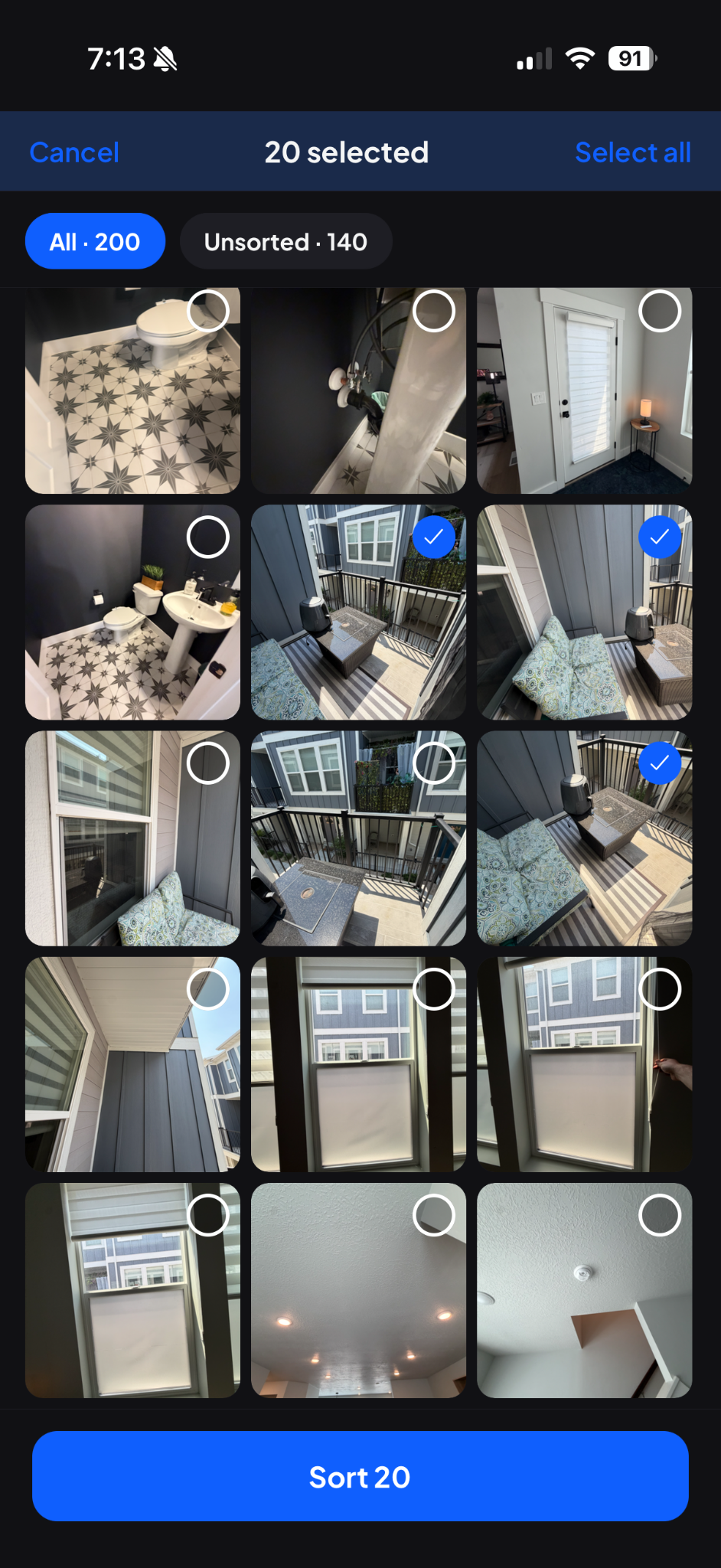
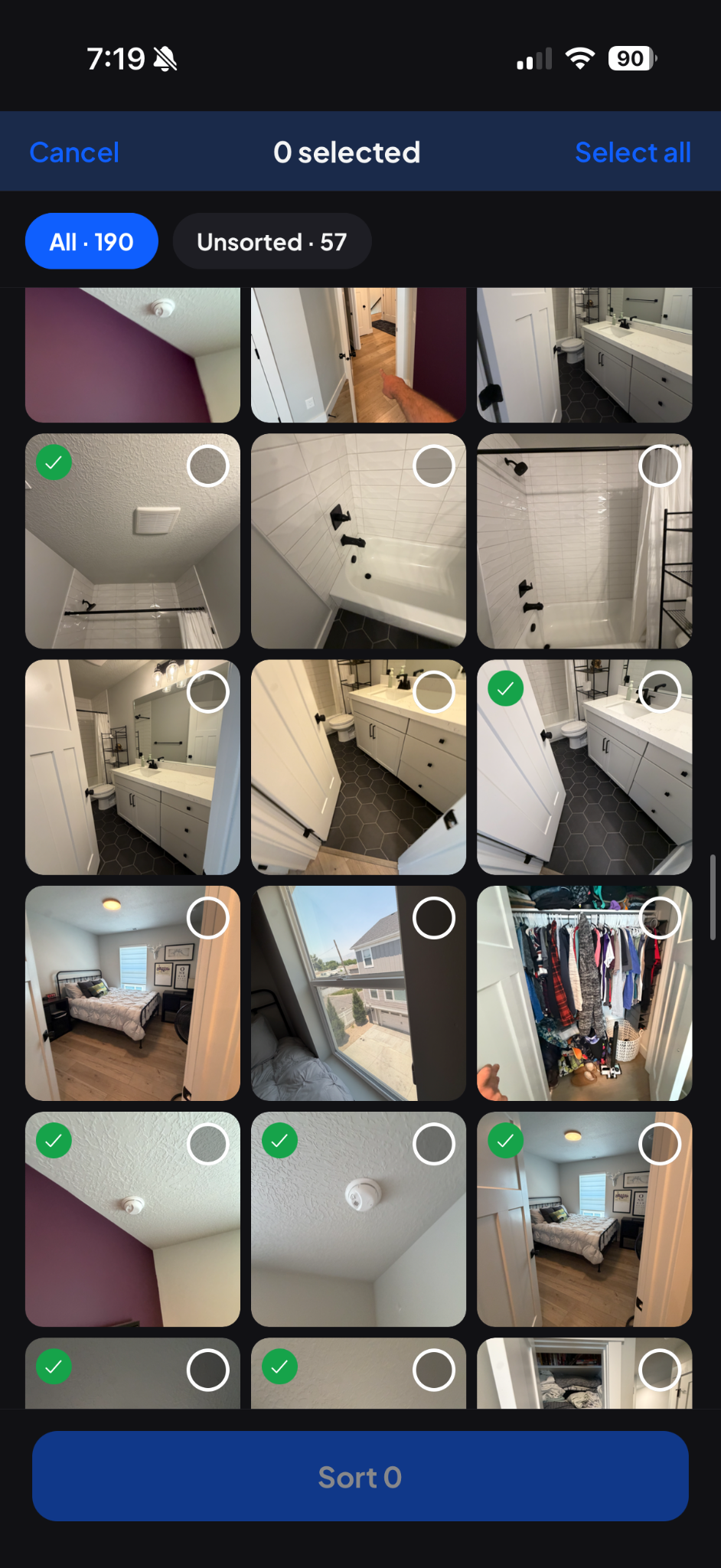
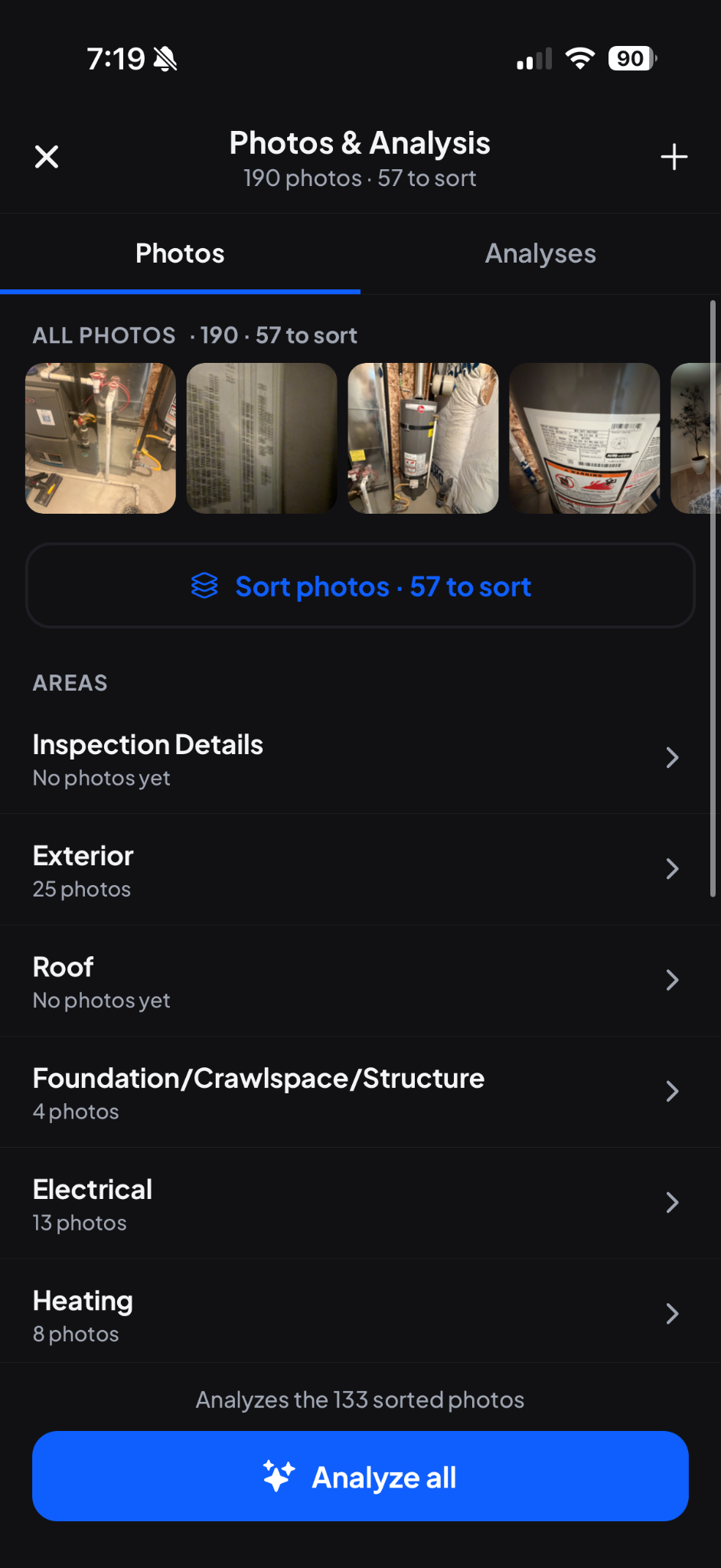

Above (Left to Right): 1) Photos can be uploaded to the inspection in batches or using the camera. 2 and 3) From there, photos can be selected and added to inspection sections or sub-sections. 4) Analyses can be done by section or across all areas.
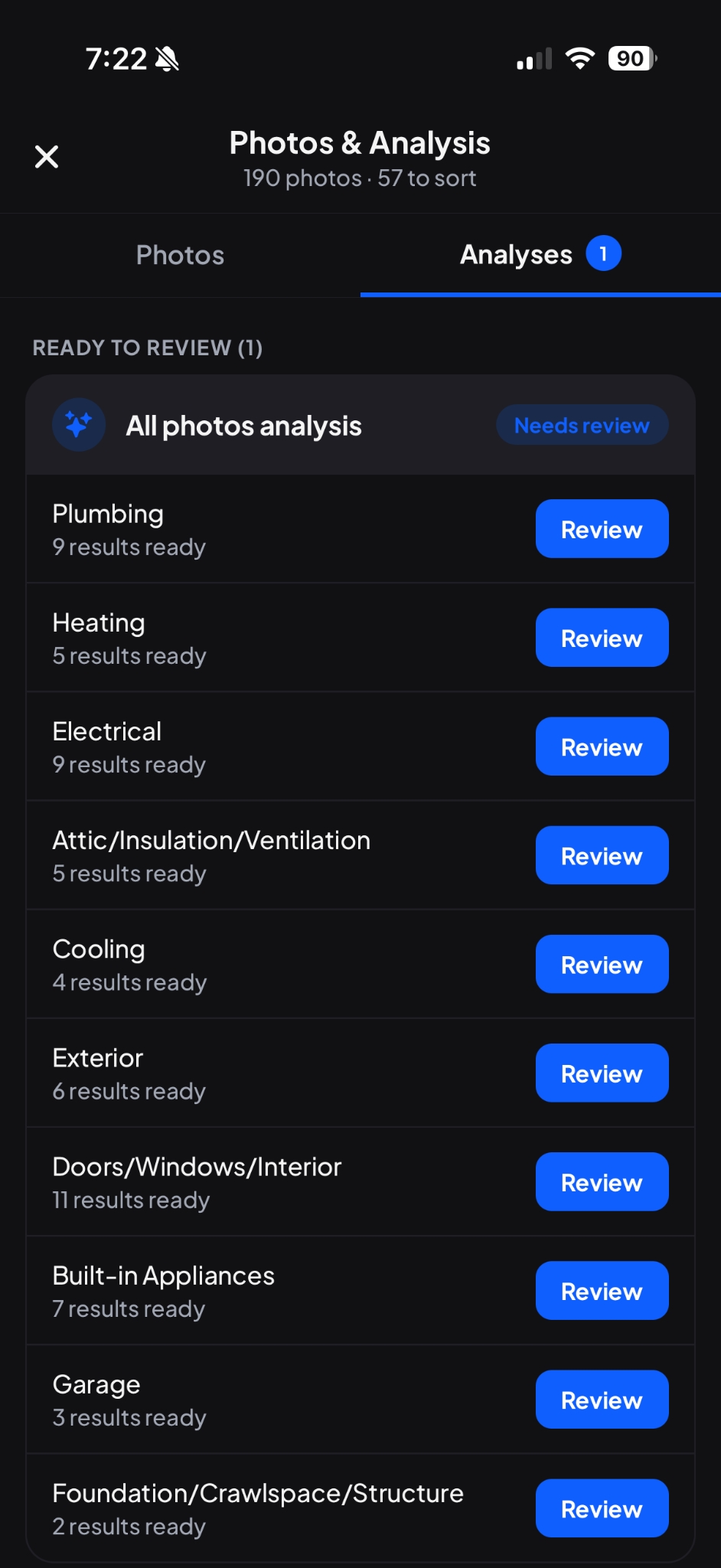
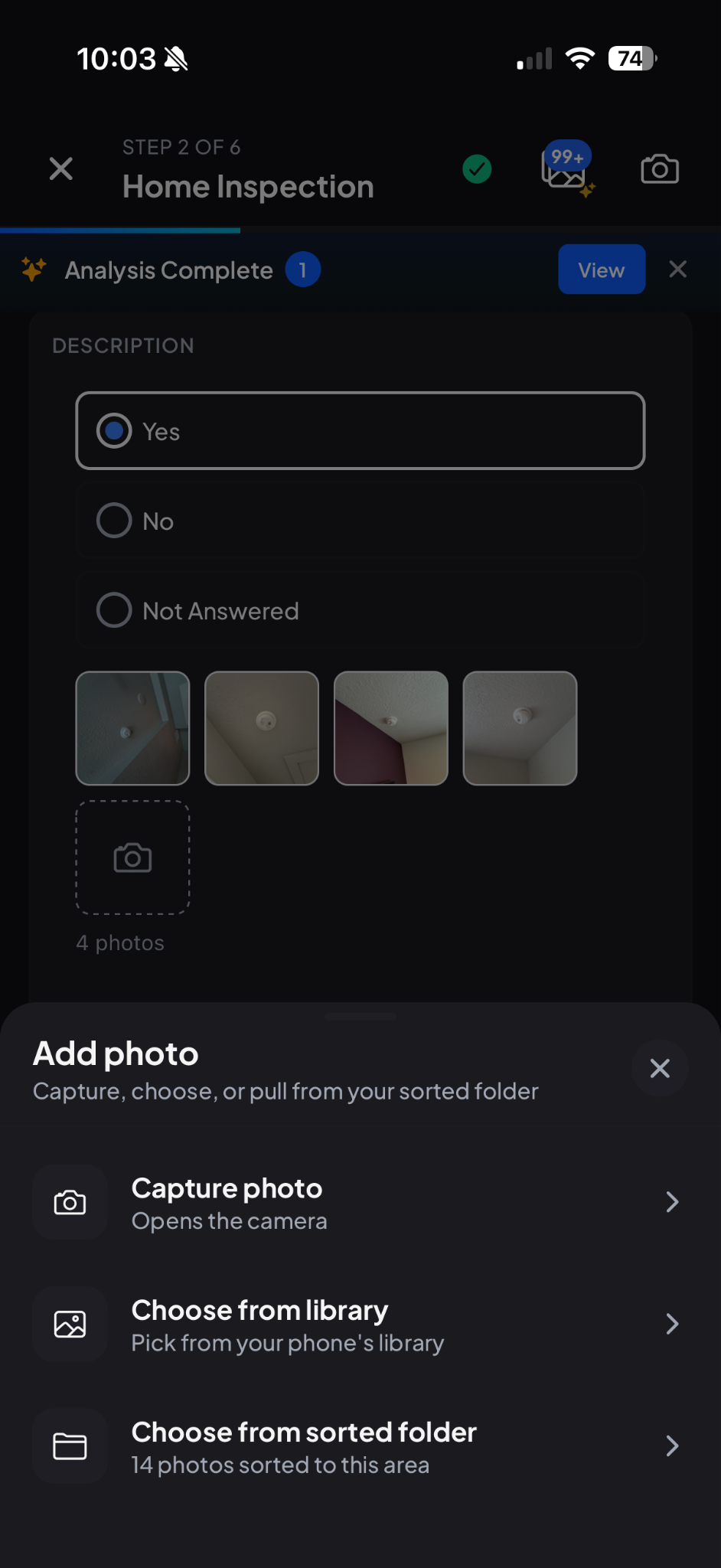
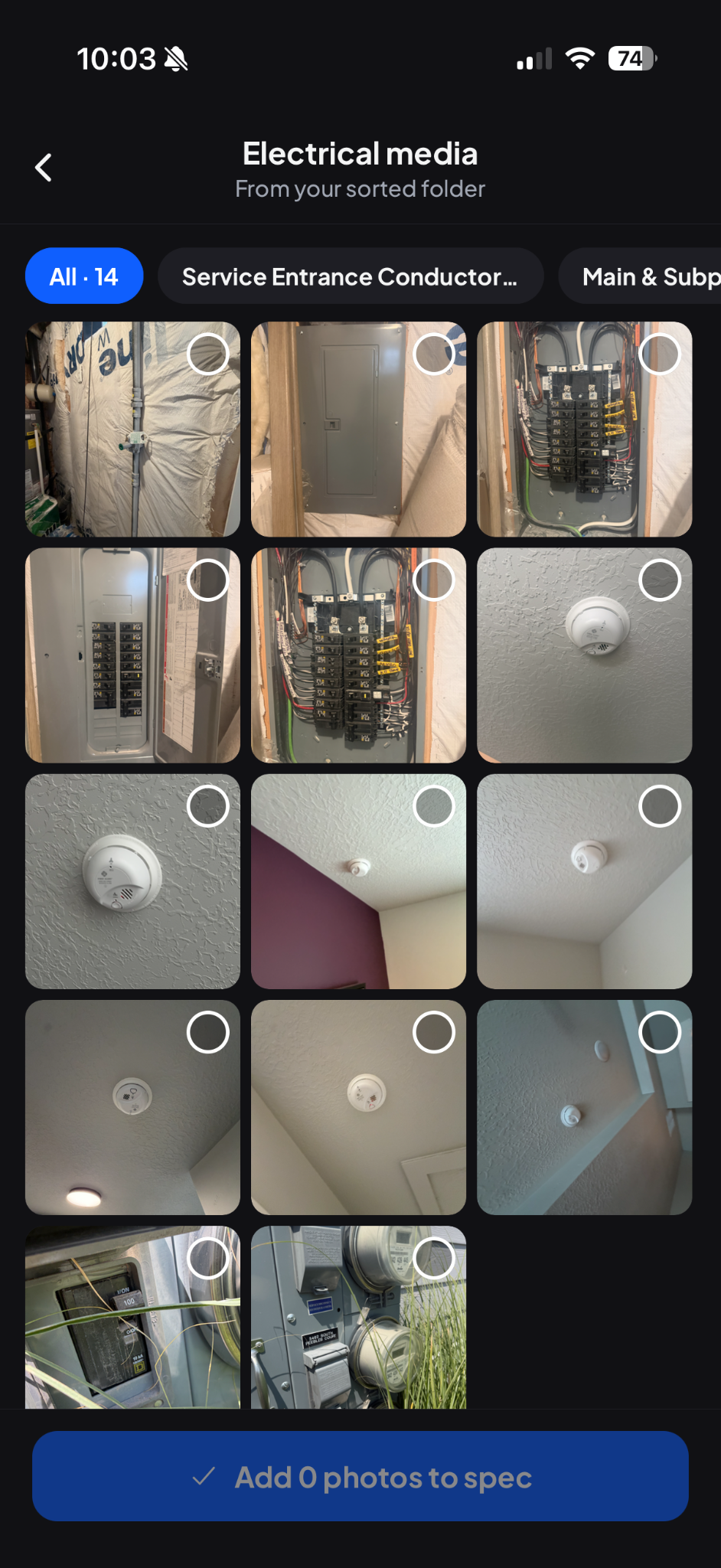
Above (Left to Right): 1) Once analyses have run, results can be reviewed and accepted, edited, or declined by section. 2 and 3) In the report writer “Step 2”, you can now choose from sorted folders.
Once photos are sorted to the subsection level, you can also optionally ask the AI assistant to analyze the images and fill out any specs and defects it might identify. You, of course, still have full control over this process and will have to approve or deny any identified results before anything makes it to your report.
All inspectors have some unique aspect to our workflows. My workflow can change depending on how busy my day is, the condition of a home, or my family’s schedule. This tool will help on those days when you might not have time to write that whole report on site and you just need to get the site conditions documented and get that report filled out at home later. Or maybe you prefer to work from a bigger screen at home and this will just give you a new way to speed up your process. In any case, this will help to organize photos more efficiently and make our days a little easier.
Happy inspecting!
Sam at Hometrace