
Managing Contacts
Build and maintain your contact list of clients, agents, and contractors. Import from your phone or another inspection tool to skip the data entry.
Updated May 18, 2026 · 5 min read
Hometrace includes a contact management system to help you organize the people you work with: clients you've inspected for, real estate agents you partner with, and contractors you recommend. Contacts sync between web and mobile, so the agent you added in the field this morning is searchable on the dashboard this afternoon.
Where to find Contacts
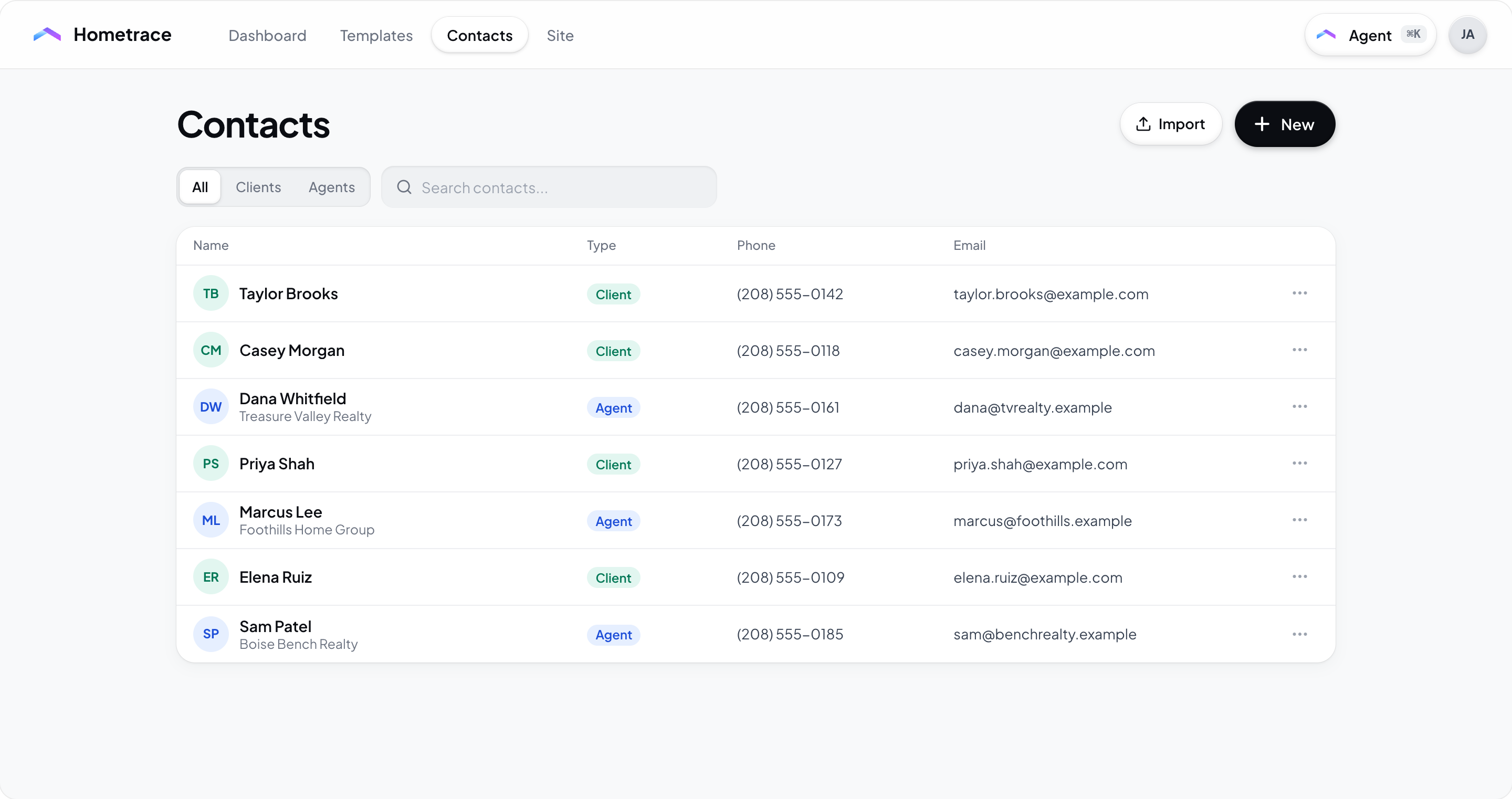
- Web desktop and mobile web: open Contacts in the inspector dashboard navigation. Use the type filter to show All, Clients, Agents, or Contractors when available.
- Mobile: open the Contacts tab in the bottom navigation.
Both surfaces support the same three contact types and share the same database.
Contact types
- Clients are the homeowners and buyers you perform inspections for. Hometrace can attach them to inspection records so their info is one tap away when you start a new inspection.
- Agents are the real-estate agents you work with. Tracking them helps you see referral patterns and quickly cc them on report deliveries.
- Contractors are service providers you recommend (HVAC, plumbing, electrical, etc.). You can categorize each contractor by the appliance or system they service so you can quickly pull up the right person when a finding calls for one.
Note: Contractors are available to inspectors. Homeowner-only accounts see only Clients and Agents.
Adding a contact manually
On the web
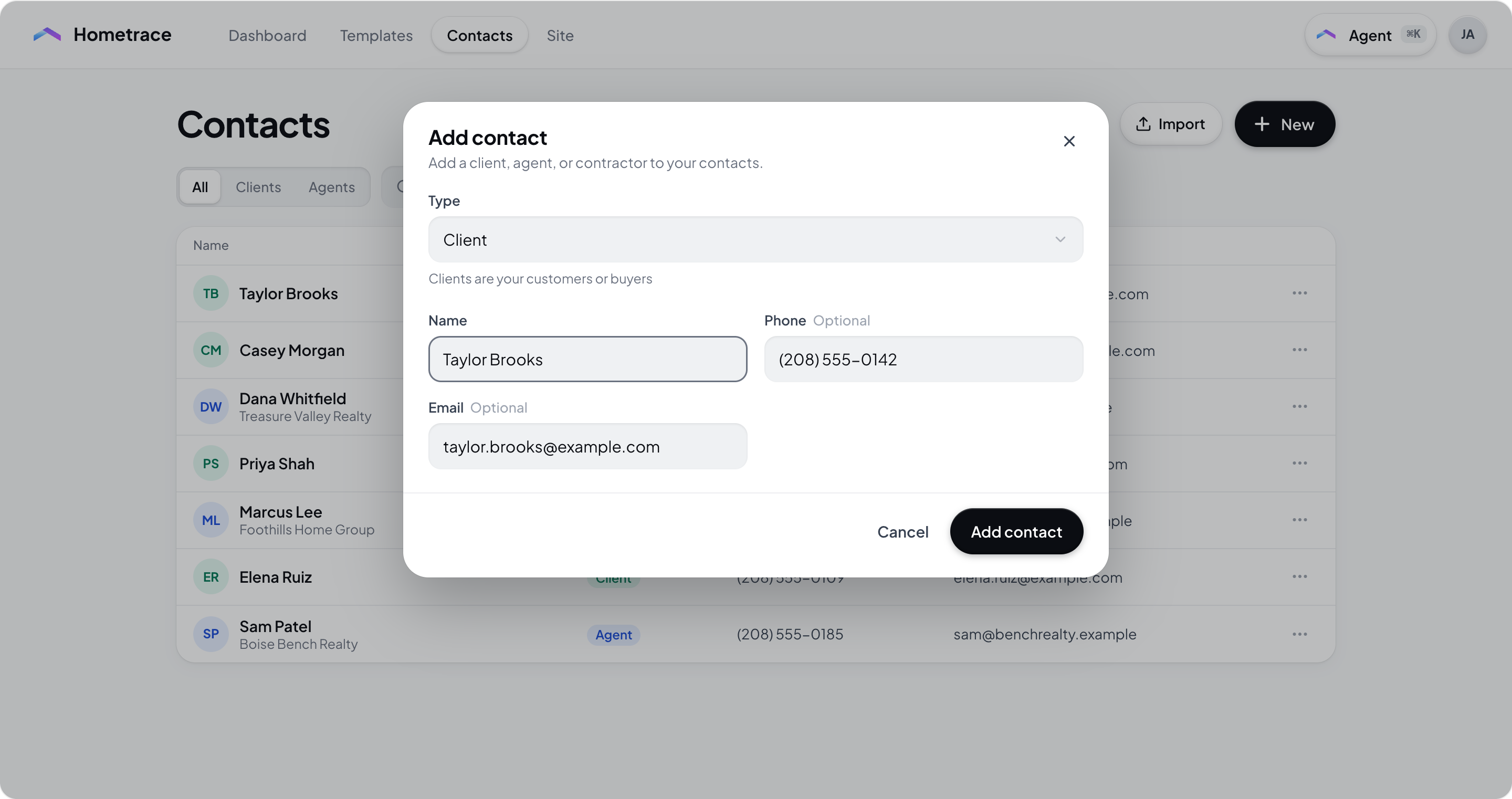
- Open Contacts and select New or the plus button (New contact).
- Pick the contact type.
- Enter the contact's details. Required: Name. Optional: company, phone, email, notes. Contractors get an additional categories picker for the systems they service.
- Select Add contact to create it. When editing, select Save contact.
On the mobile app
- Open the Contacts tab.
- Tap the plus button.
- An action sheet appears with two options. Tap Create New Contact.
- Fill in the contact details and save.
Importing from your phone (mobile only)
If you've been keeping track of clients and agents in your phone's address book, you can pull them straight into Hometrace without retyping anything.
Steps
- Open the Contacts tab in the mobile app.
- Tap the + button. From the action sheet, choose Import from Phone.
- The first time you do this, the app asks for permission to read your device contacts. If you accidentally deny, the modal includes an Open Settings shortcut so you can grant permission and return.
- Browse or search your phone contacts. The list paginates as you scroll.
- Tap to select any contacts you want to import. A checkmark appears on each. The bottom bar shows how many are selected.
- Tap Import. Selected contacts are added to Hometrace as the currently-selected type (or Client if you're on the All tab).
What gets imported
For each selected phone contact, Hometrace pulls the name, email, phone number, and company. It does not import addresses or photos.
Deduplication
If a phone contact's email matches one already in your Hometrace contact list (of the same type), Hometrace skips it. After the import finishes, you'll see a toast like "Imported 7 contacts, skipped 2 duplicates." If every selected contact was already in Hometrace, the toast says so and nothing changes.
Permissions and privacy
The app reads device contacts only while the picker is open and only after you grant permission. Hometrace never copies your address book to the server in bulk; only the contacts you explicitly select are sent. You can revoke contacts permission at any time from your device settings.
Importing from another inspection tool (web only)
If you're switching from another inspection platform, you can bulk-import your existing contact list.
- Open Contacts in the web dashboard.
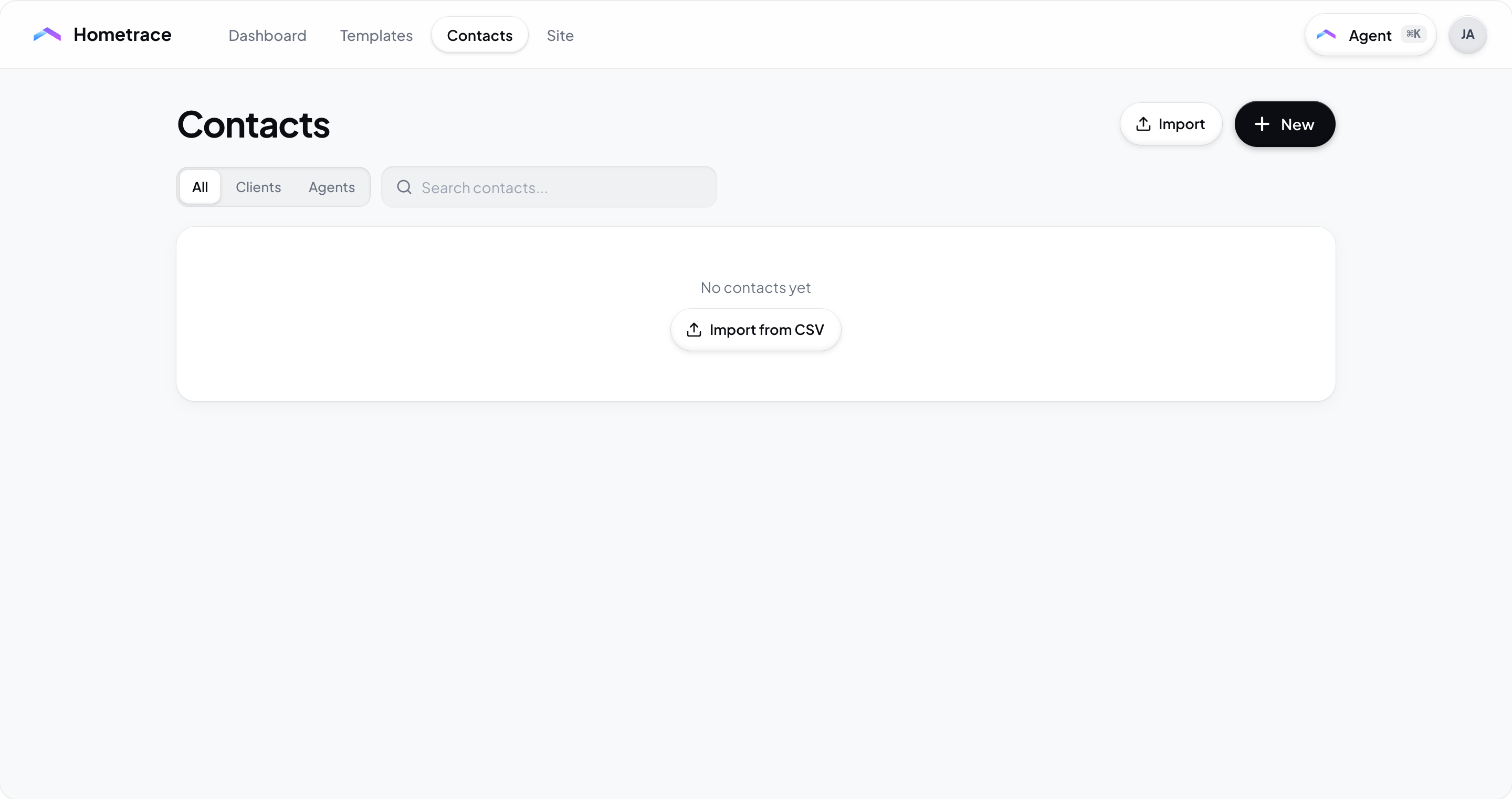
- Select Import or the Import contacts icon. On an empty list, the action can read Import from CSV.
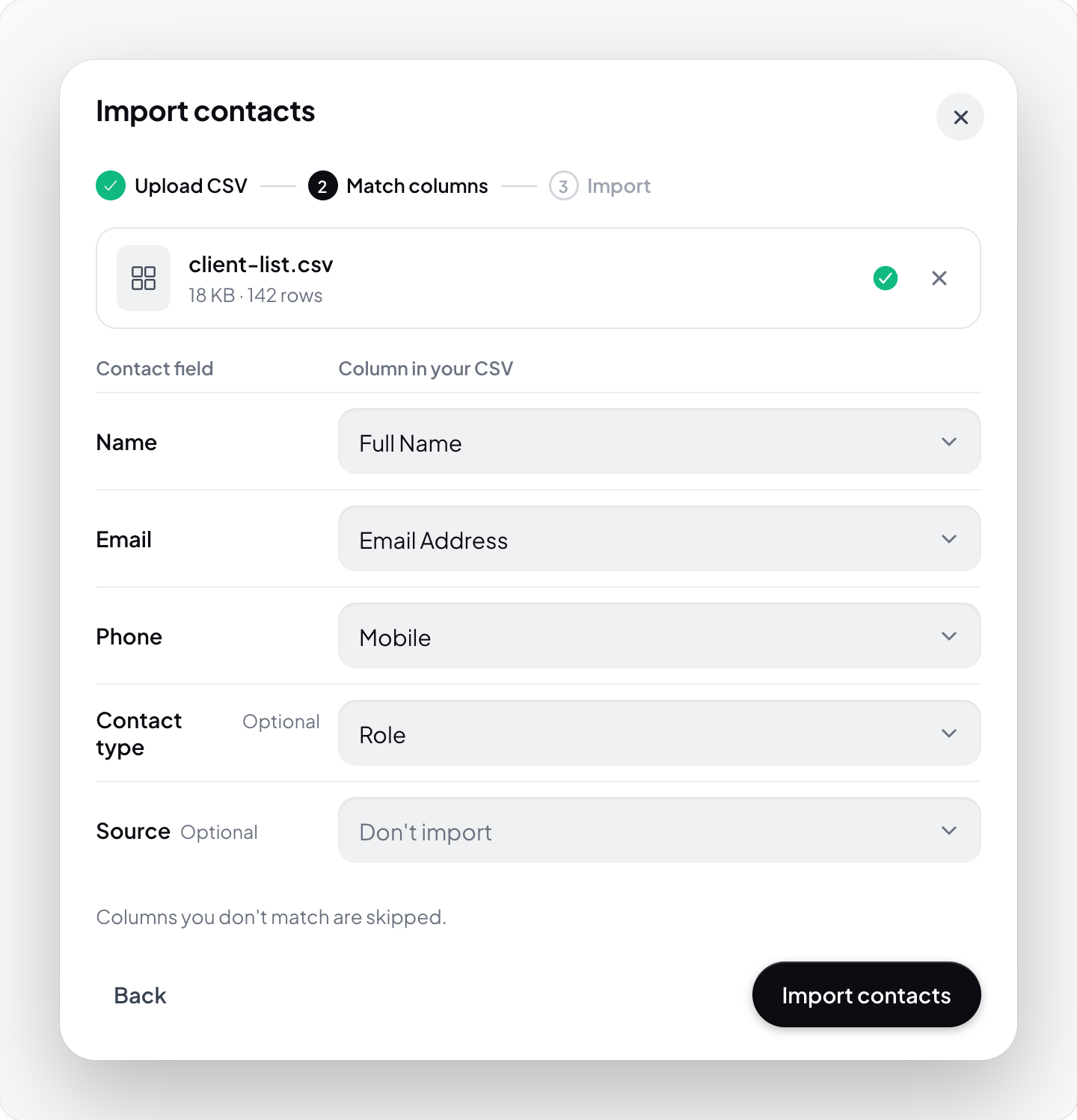
- Pick the source:
- Spectora CSV export.
- Home Inspector Pro contacts CSV export.
- Other source, using the downloadable CSV template.
- Choose the contact type and source, then continue and upload a CSV file. Follow the source-specific export instructions or download the template.
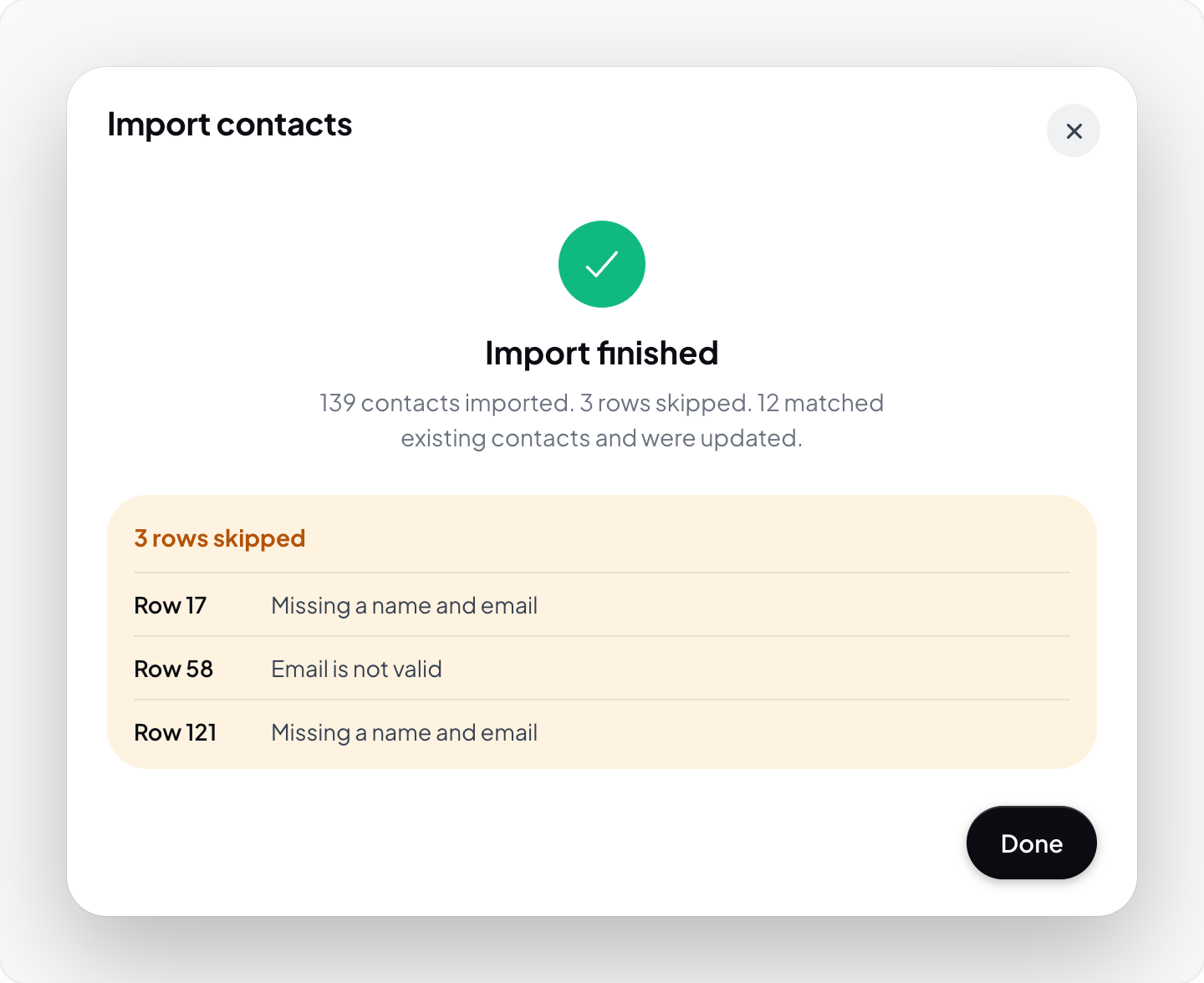
- Run the import and review the result, including any errors.
Searching and filtering
- Search: type any part of a name, email, phone number, or company. Results filter as you type, as you type.
- Type filter: the type filter limits the list to All, Clients, Agents, or Contractors when available. The selected tab also drives the default type when you tap + or import from your phone.
Editing and deleting
Edit
- Web: click a contact to open it, edit any field, then save.
- Mobile: tap a contact to open it, edit, save.
Delete
- Web: open the contact and use the action menu, or click the menu icon on the contact card.
- Mobile: long-press a contact to bring up the action sheet, then choose Delete.
Deleting a contact removes the saved contact entry. Read the confirmation carefully before deleting.
Using contacts in inspections
Once a contact exists, it's available throughout Hometrace:
- Starting an inspection: the client and agent fields suggest matches from your contact list as you type. Pick from the suggestions to attach the contact instead of retyping the info.
- Recommending a contractor: when you're writing up a finding that warrants a referral, you can pull a categorized contractor from your contact list directly.
- Hometrace Site intake: when a client requests an inspection through your public site, their contact info is auto-saved as a Client contact with the booking attached.
Best practices
- Keep notes specific. Use the notes field for things you'll forget otherwise: preferred contact times, communication style, gate codes, dog warnings.
- Categorize contractors as you add them. Filtering by category later only works if you tagged the system they service.
- Import once, edit later. Review and clean up your export before importing it.
- Import new phone contacts when needed. As you add new clients to your phone in the field, a quick "Import from Phone" pass on the way home pulls the new ones in. Email matching can skip existing contacts of the same type, but review entries without an email for duplicates.
Getting help
Email support@hometrace.co with any questions about the contact list, imports, or syncing.